
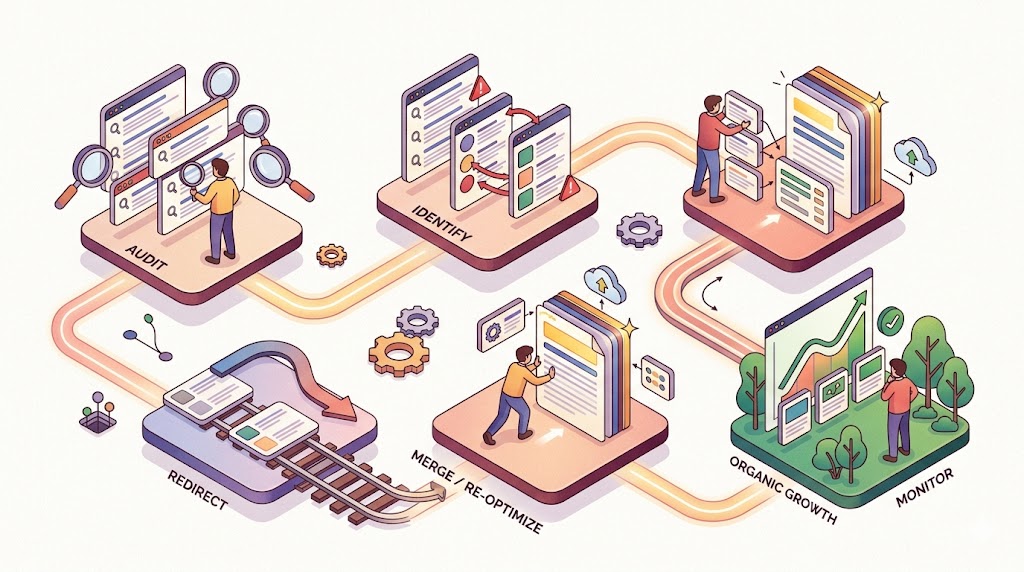
Keyword Cannibalization Fix: 5 Steps to Stop Competing
Are your own pages stealing clicks from each other? Follow this 5-step rescue plan to identify cannibalized keywords and consolidate your rankings.


You think publishing more content on the same topic helps your SEO?
It might be backfiring – badly.
Imagine you’re searching for “best running shoes for flat feet.” You click a result, but the article is actually about arch supports. You go back, click another link from the same website… and it’s a product page for insoles. Frustrating, right? That’s keyword cannibalization in action. And it’s one of the most overlooked, silent traffic killers in SEO today.
In this guide, you’ll learn exactly what keyword cannibalization is, how to spot it within minutes, and a 5‑step rescue plan to fix it – without deleting your hard work. You’ll also get a decision tree, a prevention system, and a real‑world before‑after case study.
Let’s dive in.
 Keyword Cannibalization
Why Most Website Owners Ignore It (And Why That’s Costly)
The logic seems sound: “If I write more articles around my main keywords, Google will see me as an authority and rank me higher.”
But search engines don’t work like that.
When you have multiple pages targeting the same keyword or very similar search intent, Google gets confused. Instead of knowing which page is your best answer, it has to guess. Sometimes it picks Page A. Sometimes Page B. Sometimes neither.
The real costs of cannibalization:
| Consequence | What happens |
|---|---|
| Confused search engines | Wrong page ranks for the wrong intent (e.g., your “how to” page ranks for a transactional query) |
| Diluted link equity | Backlinks spread across 3–4 similar pages instead of one strong page |
| Lower CTR | Your own pages compete for the same snippet – you lose clicks to yourself |
| Wasted crawl budget | Googlebot wastes time crawling redundant pages instead of fresh content |
| Volatile rankings | Your position flips daily as Google tests different pages |
Quick stat (illustrative): In internal audits, we’ve seen sites with 3+ cannibalizing pages lose 25–35% of potential organic traffic from those keyword groups. Fixing cannibalization alone often brings back 15–20% within 60 days.
 Recovery from Cannibalization
The good news? Most cannibalization is easy to fix once you know what to look for. And you don’t need to be an SEO expert.
The 3 Early Warning Signs (Symptom Checker)
Before you run any fancy tools, check for these three symptoms. If you see any of them, you have a cannibalization problem.
Sign #1: Your own site shows up 3+ times for the same search
Run this in Google:
site:yourdomain.com “your main keyword”
Example: site:chatbase.co “Sales automation”
If you see three or more different pages in the results, and they’re all trying to answer the same user question, that’s cannibalization.
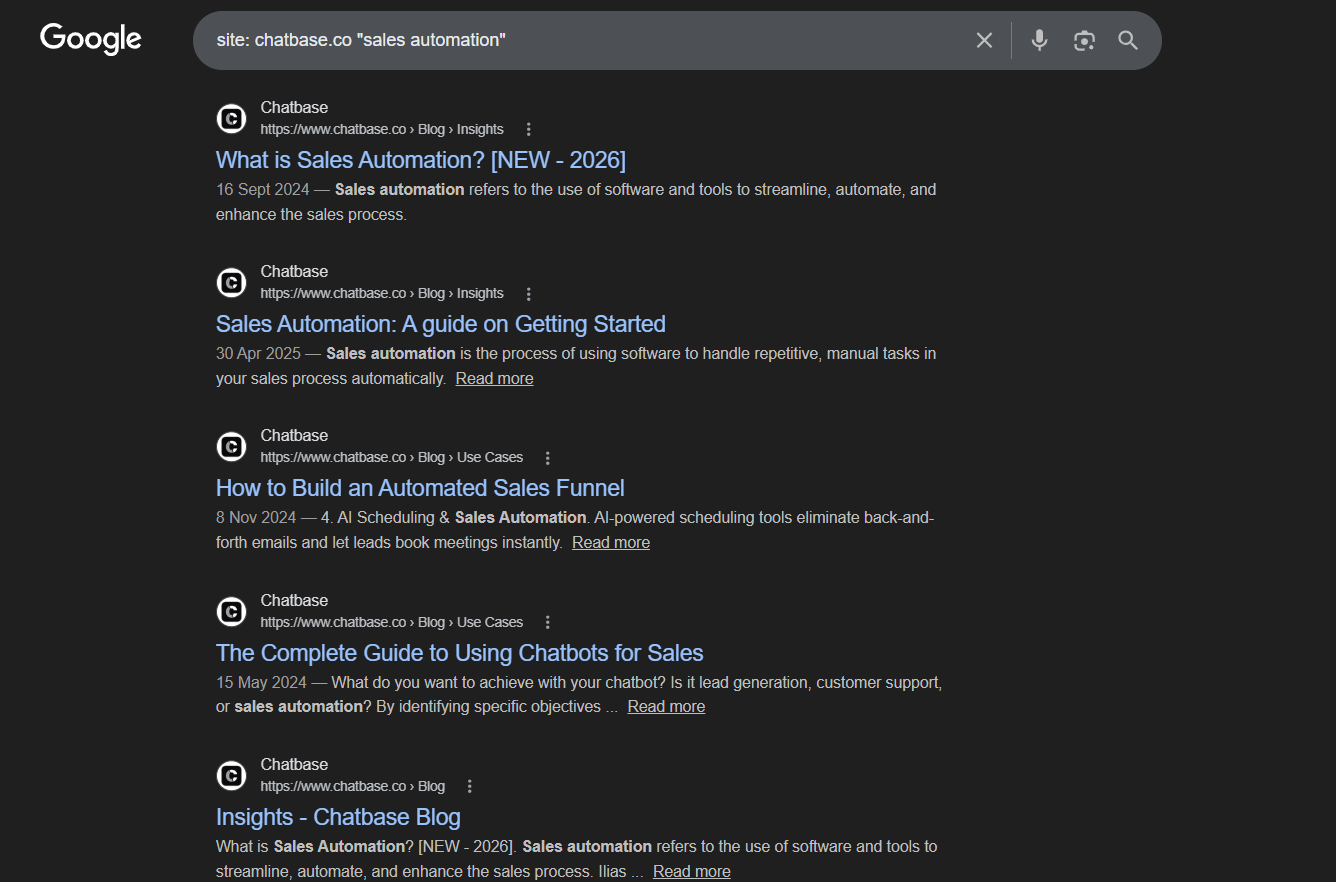 On sales automation keyword, Google showing multiple URLs of Chatbase
Sign #2: Google keeps flipping which page ranks
Open Google Search Console. Go to Performance → filter by a query you care about. Look at the “Pages” tab.
Do you see two or more pages getting impressions and clicks for the same query over the same date range? Does the top position alternate week by week?
That’s Google A/B testing your content, because it can’t decide which page is best. And that means you’re losing consistent rankings.
Sign #3: A weak, new page outranks your authority page
You have a well‑linked, aged article with great backlinks. Then you publish a new, shorter post on a similar topic. Suddenly, the new post starts ranking – instead of your old champion.
That’s not a win. That’s cannibalization cannibalizing your own link equity.
Check this now: Pick your top 5 money keywords. Search them with site:yourdomain.com. If any keyword brings up more than one page, you’ve found your first cannibalization candidate.
Your Diagnostic Toolkit (How to Find Every Cannibalization Issue)
You don’t need expensive software. Here’s a toolkit ranked by time investment.
| Tool | What it reveals | Time needed |
|---|---|---|
| Google Search Console (Performance report) | Exactly which pages compete for which queries | 5 minutes |
site: search + keyword in URL | Quick, manual scan of obvious duplicates | 2 minutes |
| Screaming Frog (free up to 500 URLs) | All pages targeting the same keyphrase (via title, H1, meta) | 10 minutes |
| Your own internal link graph (or Site Audit tool like Ahrefs/Semrush) | Over‑optimized anchor text across multiple pages | 5 minutes |
Step‑by‑step: Using Google Search Console (the most reliable method)
- Log into GSC → Performance report.
- Click + New → Query → enter a keyword you care about (e.g., “content marketing strategy”).
- Click + New → Pages.
- Look at the table. You’ll see all the URLs that received impressions/clicks for that query.
- If you see two or more URLs with significant impressions, you have cannibalization.
Pro tip: Create a simple spreadsheet with columns: Keyword, URL1, URL2, Intent Match (Yes/No), Fix Action. This becomes your cannibalization log. Update it monthly.
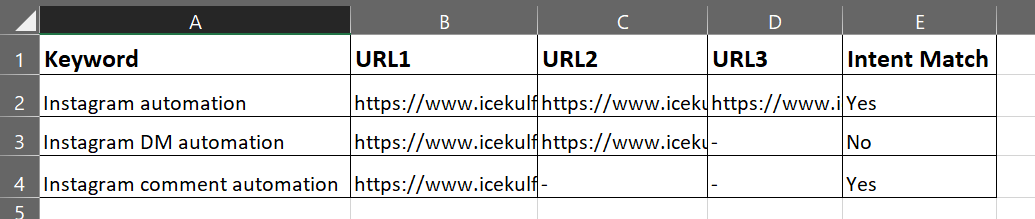 Solve the Cannibalization issue using simple Spreadsheet
The Rescue Playbook (How to Fix – Decision Tree Style)
Now the part you came for: how to actually fix cannibalization without breaking your site.
Most guides just list fixes. Here’s a decision tree, follow it for each cannibalizing group.
Decision Tree (Text version)
Question 1: Do the competing pages target the same user intent?
(Informational? Commercial? Transactional?)
-
YES (same intent) → Go to Question 2.
-
NO (different intent) → Use
rel="canonical"to point the less‑relevant page to the best‑fit page. Example: A “product comparison” page and a “buy now” page – canonical to the transactional one.
Question 2: Are the pages at least 60% unique content with only minor overlap?
-
YES → Keep both, but: change internal linking, rewrite meta titles to target different long‑tail keywords, and add
rel="canonical"only if intent is identical. If you need safer variants before editing live pages, test alternate title variants first. -
NO (mostly duplicate / very similar) → Merge the content into one super‑page → 301 redirect all weaker pages to the merged version.
Question 3: Is one page clearly superior (more backlinks, better engagement, older age)?
-
YES → 301 redirect the weaker page(s) to the superior one. Do not delete – 301 preserves link equity.
-
NO (all pages are roughly equal) → Create a brand new pillar page that covers the topic comprehensively. Then 301 redirect all old competing pages to the new pillar.
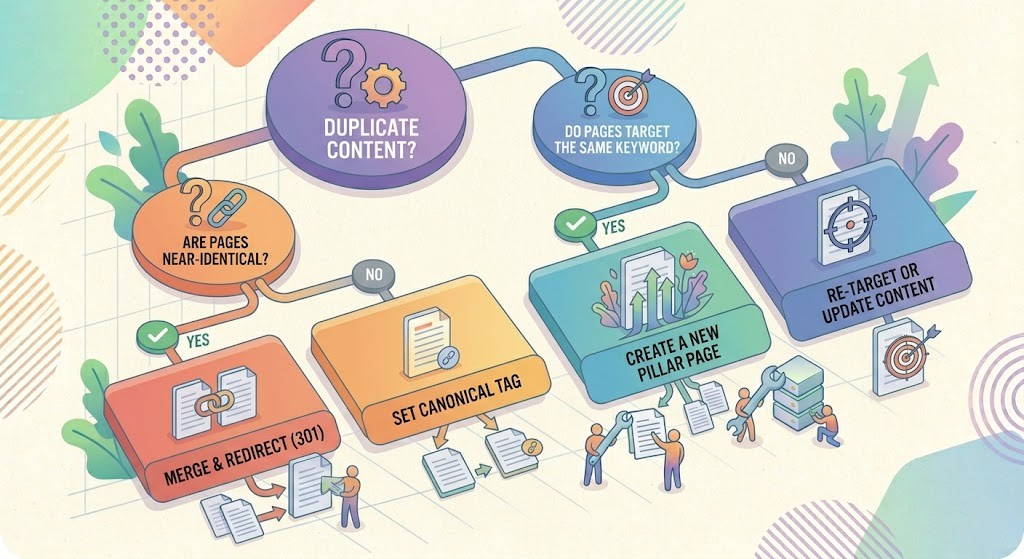 Tree style structure of all the identical or nearly identical URLs to solve Cannibalization issue
Example walkthrough
Suppose you have three blog posts:
- “SEO tips 2024”
- “SEO tips 2025”
- “SEO tips for beginners”
Intent check: All informational. Same intent → yes.
Uniqueness: The 2024 and 2025 posts are 70% similar. Beginners post is different.
→ Merge 2024 and 2025 into “SEO tips: updated for 2025 (and beyond)”. 301 redirect both old URLs.
→ Keep beginners post, but change its target keyword to “SEO basics for beginners” and adjust internal links.
Quick Fixes for Specific Scenarios (Cheat Sheet)
Here’s a cheat sheet for the most common situations. Save this.
| Scenario | Fix |
|---|---|
E‑commerce: Same product category, different URL variations (e.g., /shoes-red and /shoes/red) | Use rel="canonical" on duplicates to the master URL OR set up parameter handling in GSC. |
| Blog posts: “Best coffee makers 2024” and “Best coffee makers 2025” | Merge into “Best coffee makers: 2024‑2025 updated guide”. 301 both old URLs to the new one. |
| Location pages: “SEO agency NYC” and “SEO agency New York” | Choose one canonical URL (e.g., /nyc/) and 301 the other. Also update internal links. |
| Pagination (category page 1,2,3 targeting same broad keyword) | Add rel="prev" / rel="next". No need to 301. |
| Tag archives vs blog posts (both ranking for same long‑tail) | noindex tag archives, or add rel="canonical" from tag page to the main post. |
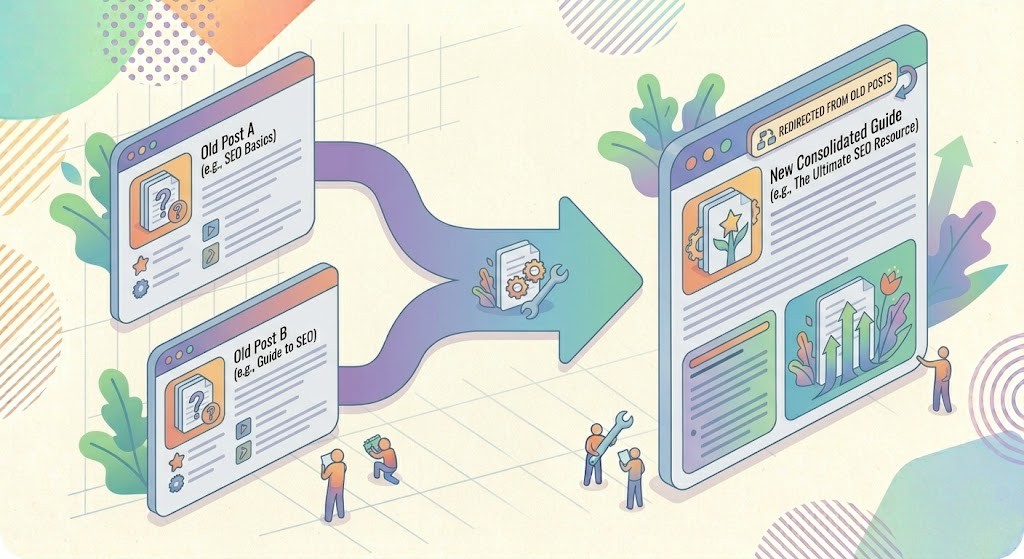 Solve the Cannibalization issue using 301 Redirect or by rewriting the content
The “Set It and Forget It” Prevention System
Fixing cannibalization once is good. Preventing it forever is better.
Here’s a 4‑rule system you can implement this week.
Rule #1: The “Site Search” rule before publishing
Before you hit publish on any new post, run:
site:yourdomain.com “your exact target keyword”
If another page already ranks for that keyword, do not publish until you’ve decided: merge, redirect, or retarget. You can also generate non-overlapping keyword targets so the new page has a clearly different search intent.
Rule #2: Keep a content inventory spreadsheet
Simple shared sheet (Google Sheets) with:
- URL
- Target keyword (primary)
- User intent (I/C/T)
- Last updated
- Internal links count
Update it whenever you publish. Before writing a new piece, search the sheet for your keyword.
Rule #3: Set up a Google Alert for site:yourdomain.com “your top keywords”
Yes, you can monitor cannibalization automatically. Go to Google Alerts, enter:
site:yourdomain.com “keyword1” OR “keyword2”
Choose “once a day” and “only the best results”. You’ll get an email whenever Google sees multiple pages indexed for those terms. That’s your early warning system.
Rule #4: Quarterly audit on your SEO calendar
Every 3 months, spend 30 minutes:
- Run GSC performance report for your top 20 queries
- Check for any new multi‑page conflicts
- Apply the decision tree fixes
Add this to your calendar right now. Seriously.
Bonus: How to train your writers (editable checklist)
Copy this into your content briefs:
Before writing a new article, tick each box:
□ Searched
site:domain.comfor the main keyword
□ Checked content inventory for existing similar posts
□ Confirmed intent is different from existing pages (or decided to merge)
□ If retargeting: used a free SEO character counter to check title and meta length
□ If merging: identified the master URL and noted redirects
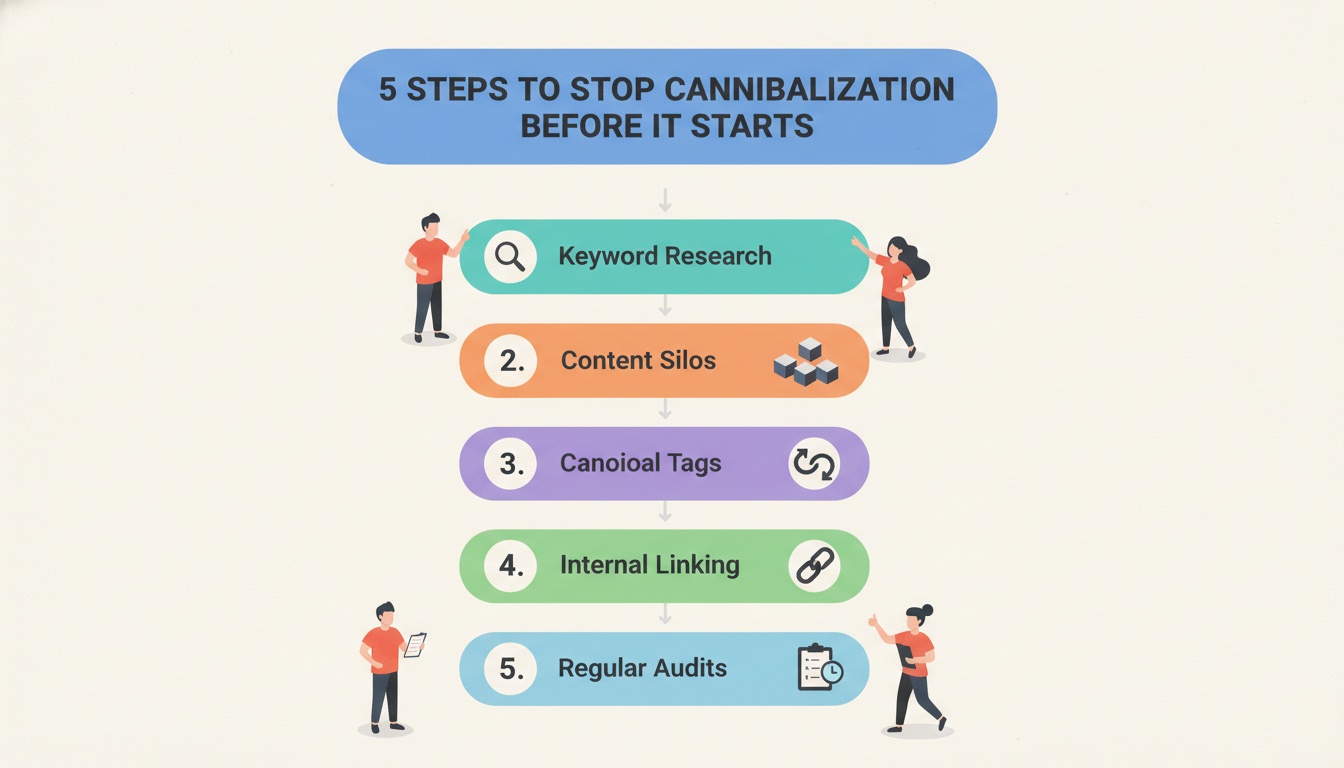 How to stop the Cannibalization
What NOT to Do (Common Mistakes)
I see smart SEOs make these mistakes all the time. Don’t be one of them.
❌ Using noindex as a first resort
noindex tells Google to remove the page from search results entirely. That means you lose all traffic, backlink value, and internal link juice from that page. Only use noindex if the page has zero value (e.g., thin content, outdated tag archive). Never for a page that gets any traffic or backlinks.
❌ Deleting pages without 301 redirects
Deleting a page creates a 404 error. If that page had backlinks or was bookmarked, you throw away that authority. Always 301 redirect to the most relevant surviving page – even if it’s not a perfect match.
❌ Fixing cannibalization but leaving conflicting internal links
You merged three posts into one. Great. But you forgot to update internal links from other articles that pointed to the old URLs. Now those links are either broken (404) or still pointing to redirected URLs (301 chain).
Fix: Use a crawler (Screaming Frog) to find all internal links to the old URLs and update them to the new master URL.
❌ Ignoring the problem because “traffic is fine for now”
Cannibalization is like a slow leak in a tire. Traffic might hold up for months. Then one day, Google updates its algorithm, picks the “wrong” page, and your rankings collapse. Fix it before it hurts you.
Case Example: Before‑After Mini Case Study
Let’s make this real. (Fictionalized but based on a real client audit.)
Client: Niche outdoor gear blog
Problem: They had four separate articles targeting “best waterproof hiking boots”:
-
“Best waterproof hiking boots 2022”
-
“Best waterproof hiking boots 2023”
-
“Waterproof hiking boots for women”
-
“Top 10 waterproof boots for men and women”
Diagnosis (using GSC): All four pages showed up for the same root keyword “waterproof hiking boots”. The 2022 post had the most backlinks. The 2023 post was newer but thin. The gender‑specific posts had low traffic but unique sections.
Fix applied (decision tree):
- Intent: All informational → same intent.
- Uniqueness: 2022 and 2023 posts were 80% identical. Women’s and men’s posts had unique sizing/fit info.
- Action:
-
Merged 2022 + 2023 into one “Best waterproof hiking boots: 2025 ultimate guide” (no year in URL).
-
301 redirected both old URLs to the new guide.
-
Kept women’s and men’s posts, but changed their target keywords to “waterproof hiking boots for women” and “for men” (added modifiers). Also added a “see also” box linking to the main guide.
-
Lesson: Merging and 301 redirecting didn’t lose traffic, it consolidated it. One strong page beat four weak pages every time.
Conclusion + Your Next Step
Keyword cannibalization isn’t about having “too much content.” It’s about confusing search engines with competing signals when you should be sending one clear message.
Here’s your one‑sentence recap:
Find every keyword where your own pages fight each other, then use the decision tree to merge, redirect, or retarget, and build a prevention system so it never happens again.
Your action step for the next 30 minutes:
Run a site:yourdomain.com search for your top 5 money keywords. If you see more than one page for any of them, grab the spreadsheet template from earlier and start logging.
FAQ (Quick answers)
Q1: Can keyword cannibalization happen across different domains?
A1: No, by definition, cannibalization happens on the same domain. Different domains competing for the same keyword is just normal competition.
Q2: Should I delete old, low‑traffic pages to fix cannibalization?
A2: Only if you have merged their valuable content elsewhere. Never delete without a 301 redirect. A 404 loses all value; a 301 preserves it.
Q3: Does internal linking cause cannibalization?
A3: Yes, over‑optimized anchor text can trick Google into thinking multiple pages are equally relevant for a keyword. Use varied anchor text (e.g., “click here,” “this guide,” “learn more”) instead of the exact keyword every time.
Q4: How long after fixing does Google stop the cannibalization?
A4: Usually 2–4 weeks after Google recrawls the redirected/merged pages. You can speed it up by submitting the old URLs for removal in GSC (after 301 is live) and requesting indexing for the new master page.
Q5: Can I use rel="canonical" across different subfolders?
A5: Yes, canonical tags work across subdomains and subfolders. But avoid using them across completely different domains unless you own both.
That’s it. You now have a complete, battle‑tested system to kill keyword cannibalization for good. Go audit your site, and watch your traffic consolidate and grow.
Enjoyed this guide? Share it with one teammate who keeps publishing “just one more” similar post. They’ll thank you later.
Thanks for reading! ❤️
Written by
JenishRead Next

Content Strategy Template: Build Your Plan in 2026 (Free)
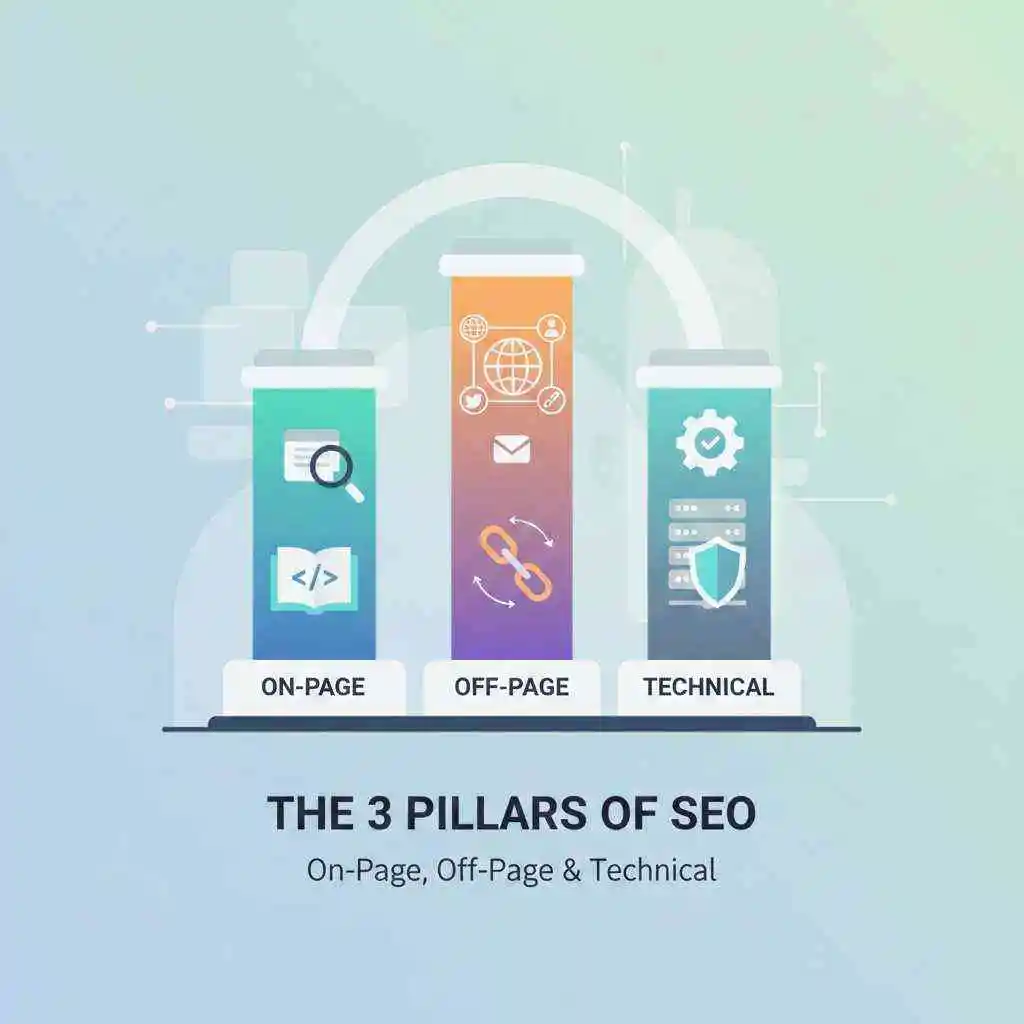
3 Pillars of SEO: On-Page, Off-Page & Technical (2026 Guide)

Visual SERPs in 2026: Rank in Featured Snippets & Image Pack

Google Ranking Algorithm Explained: How to Rank Higher in 2026

Turn Customer Questions Into SEO Traffic: Complete 2026 Guide
Turn this into your AI Search strategy
LLaMaRush creates SEO, AEO, and GEO optimized content built to rank in Google and get cited by AI answer engines.
Start Ranking Everywhere